

File Import
Interactive Brokers
Import your trades from Interactive Brokers via CSV or Flex Query API.
Interactive Brokers
Method 1: Statement file (CSV)
Export from IBKR
- Log in to IBKR then "Performance and report"
- Go to "Reports" → "Flex Queries"
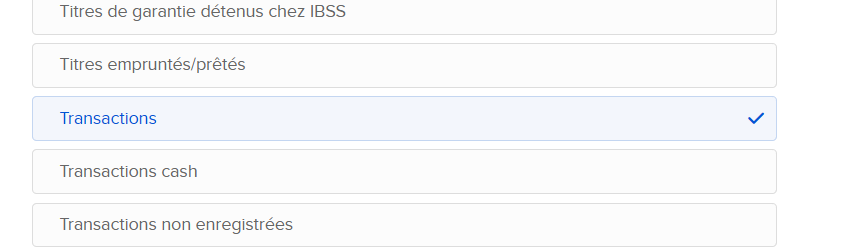
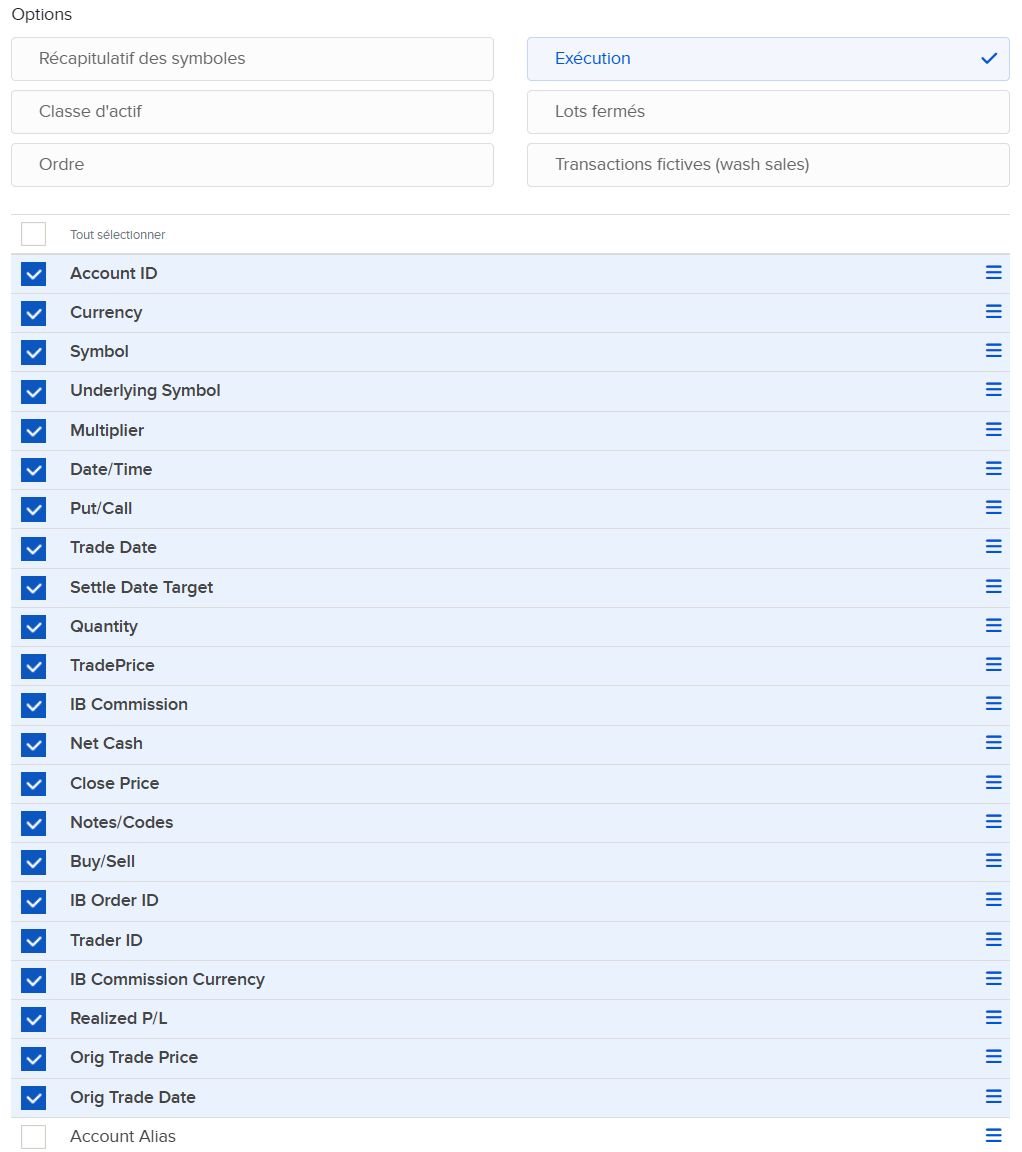
- Create a new Flex Query with trade fields
- Generate the query and download the CSV file
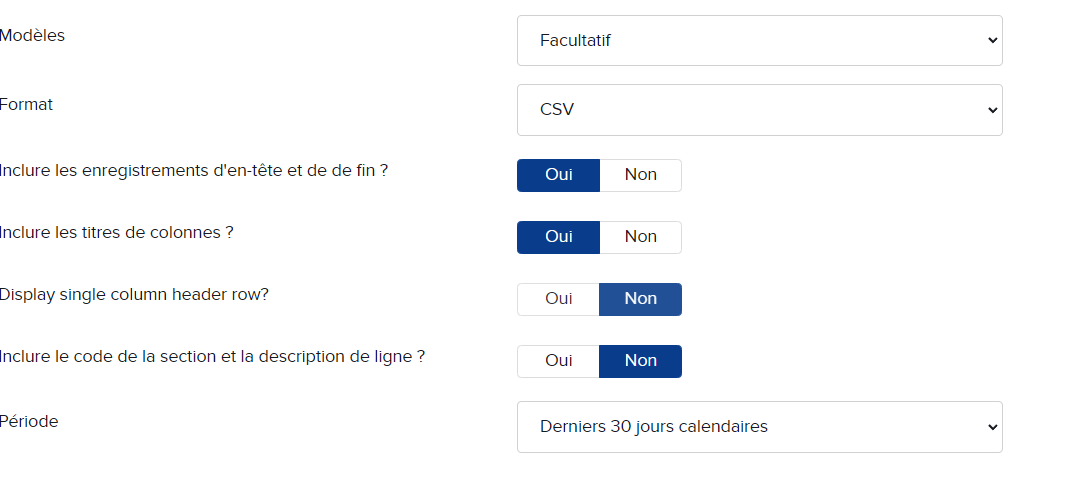
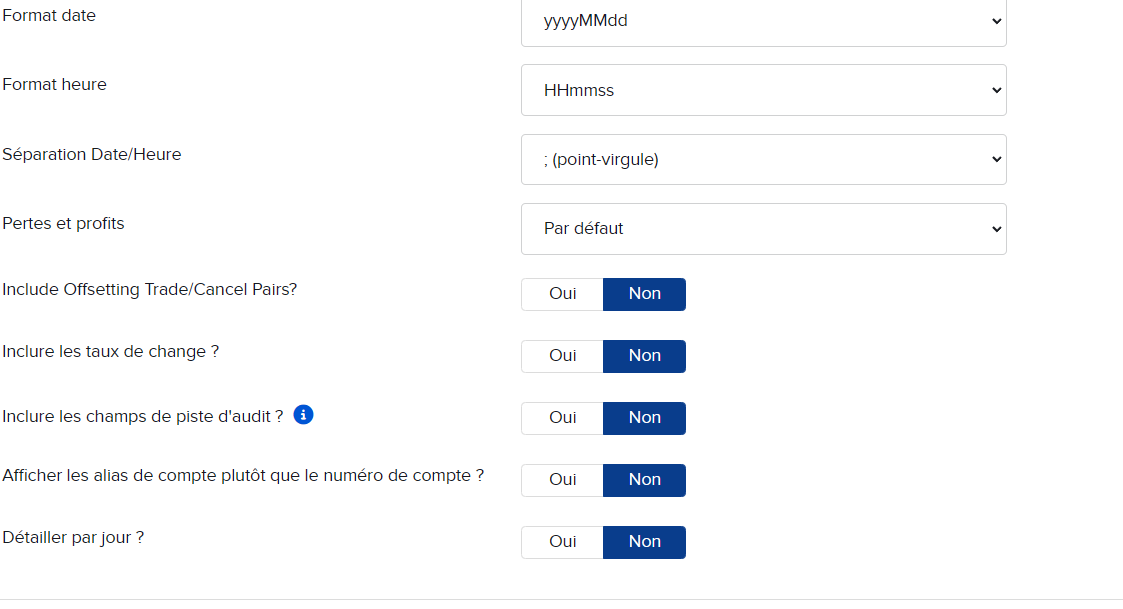
Here are the elements to specify in the Flex Query:
Create the profile in TradeJourney
- Create a profile with provider Interactive Brokers (see Create import profile)
- Once your profile is created, click the Use button
- Select your CSV file
- Click the Import button
Method 2: Flex Query API
Configure the Flex Query
- Log in to IBKR then "Performance and report"
- Go to "Reports" → "Flex Queries"
- Create a new Flex Query with trade fields
Here are the elements to specify in the Flex Query:
Retrieve the token
- Go to "Settings" → "Flex Web Service"
- Copy the Token
- Note the Flex Query ID
Create the profile in TradeJourney
- Create a profile with provider Interactive Brokers (Live) (see Create import profile)
- Paste the Token and Flex Query ID
- Once your profile is created, click the Use button → TradeJourney automatically retrieves the trades