

Guide d'utilisation
Daily view
Analyze your trades day by day with notes and tags.
The daily view groups all your trades by closing day. It's the main tool for your daily review.
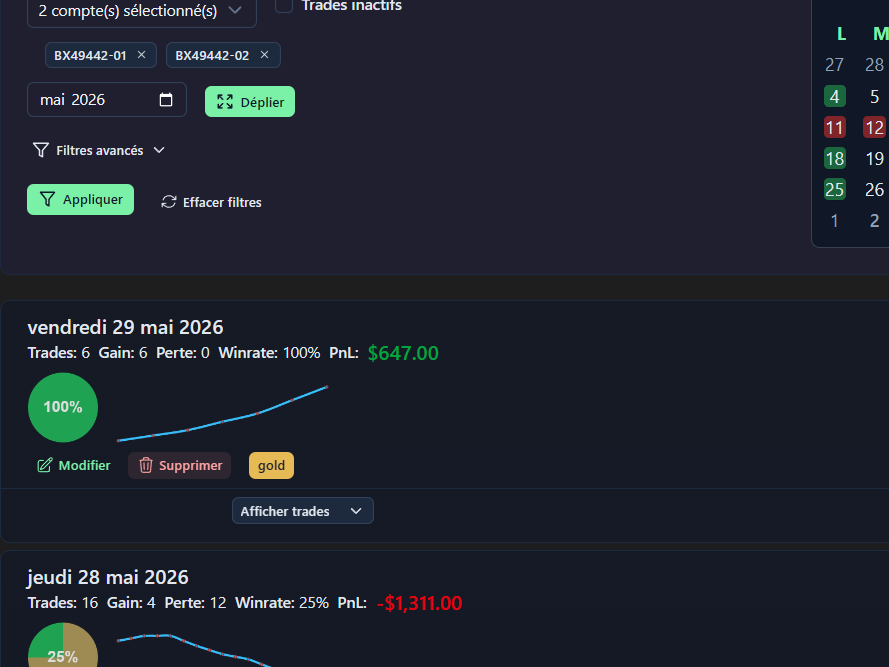
Trade groups by day
Each day appears as a two-level collapsible group:
Level 1 — Summary (collapsed):
- Date and total P&L for the day
- Win Rate
- Total number of trades
Level 2 — Detail (expanded) by clicking 'Show trades':
- Complete list of trades for the day, sorted by closing time
- For each trade: symbol, direction, profit/loss etc...
Expand / Collapse
- Expand/collapse all days at once
- Per day: Click Show trades in the day header to open/close
Chronological order
In Settings → Options, enable "Reverse days order" to see the oldest first (useful for chronological reading).
Daily tags
Assign tags to an entire day (independent of trade tags):
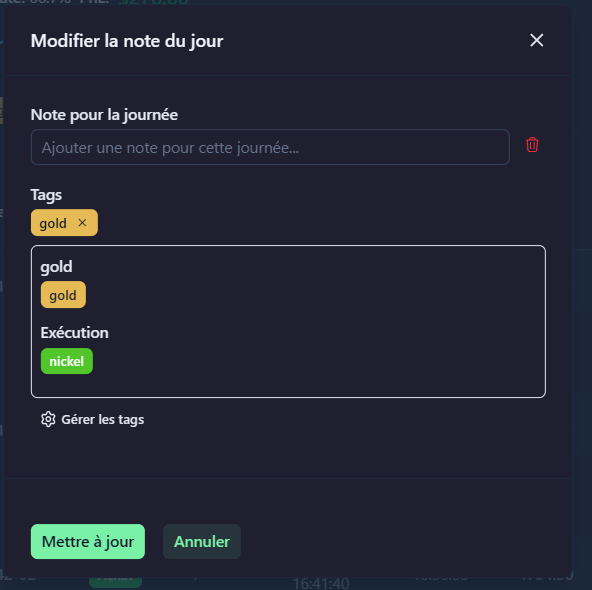
Examples of daily tags:
Disciplined day/Emotional dayFollowed plan/Deviated from planTrending market/Ranging market
Tags per trade
Assign tags to each individual trade (independent of day tags):
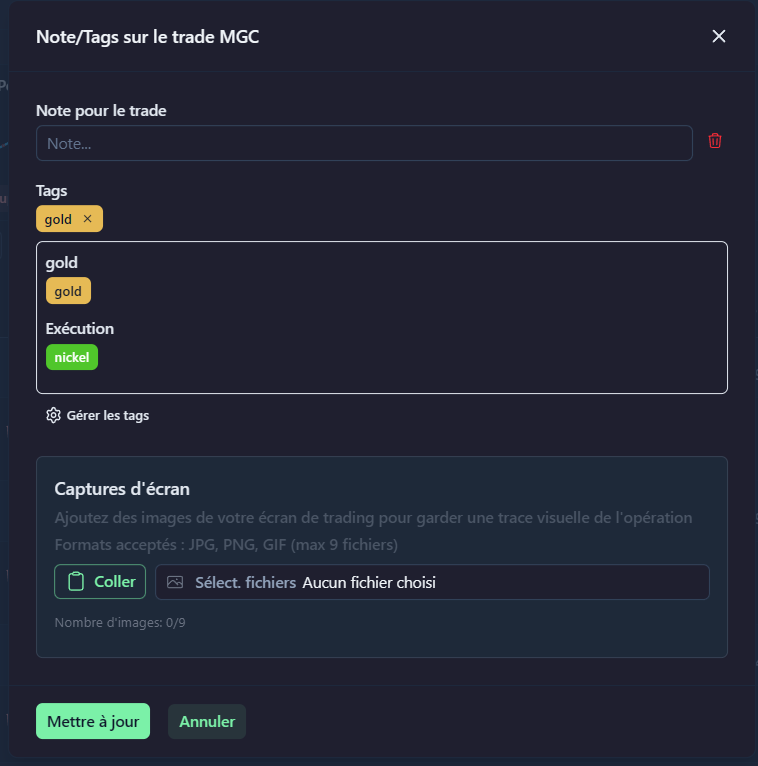
Examples of trade tags:
Breakout setup/Retest setupPerfect entry/Late entryTarget hit/Stop touched
Screenshots
Attach screenshots to trades to document your setups:
- Open a trade in the daily view
- Drag-and-drop or select an image
- The thumbnail appears in the trade form
Side P&L calendar
A mini-calendar appears on the right side of the page (toggleable in Settings → Options):
- Quick navigation between months
- Click a day to jump directly to that date
- Days are colored based on P&L
Filters
The same advanced filters as on the dashboard and trades apply here.